CMMS for Packaging and Printing Manufacturing Plants

A slitter trips again, and the pouch-making line is waiting for rolls. MaintBoard helps packaging and printing teams see who owns the repair, what the last shift found, and whether the right spare is in stock.
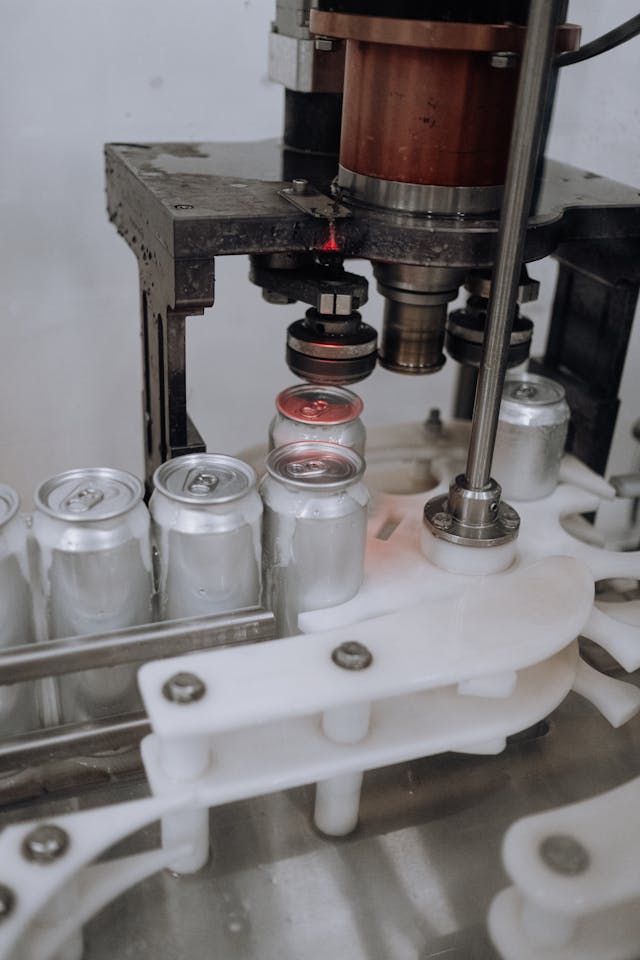
  • Compare repeat slitter faults by machine, roll, and repair history.
  • Fit press and rewinder checks into changeovers and give longer repairs a planned stop.
  • Check stock for the specified web-guide sensor, roller, or drive part before assigning the repair.
Packaging and printing maintenance workflow in MaintBoard

Where equipment faults disrupt packaging and print jobs

The web drifts again and the next job is waiting for rolls

The operator gets the slitter running, but the fault returns on another roll. The next technician needs the job details and earlier findings to see whether the stops have something in common.

The changeover is too short for the work that is due

Production has another job lined up. The supervisor needs to see which checks can fit the agreed window and which jobs need a longer stop.

A similar sensor is in stores, but it fits a different machine

The technician needs the specified part number and available stock before counting on a spare to get the line running.
Example workflow

A slitter fault leaves the pouch line waiting for rolls

1

Report the stop and the job it affects

The operator records the slitter, job or roll reference, and where the web drifted. The supervisor assigns the work order and notes that the pouch-making line is waiting for slit rolls.
2

Review what the last shift found

The technician sees that the previous work order recorded a web-guide adjustment. This time, the technician finds a damaged sensor cable and asks stores to confirm the specified replacement.
3

Record the repair and when production resumed

The technician records the cable replacement and work completed. The team logs the slitter downtime and notes the downstream delay on the work order.
4

Give the repeat fault a follow-up

The supervisor assigns an inspection of the cable routing for the next planned stop, with an owner and due date. The next shift can see the repair and the open action in the slitter’s history.

Plan maintenance around the next print or converting run

Keep repair findings with the machine

Record the affected press, slitter, or converting machine and note the job or roll in use. Review earlier findings before repeating an adjustment or ordering a part.

Separate changeover checks from longer maintenance jobs

Schedule recurring checks on press drives, web guides, and rewind equipment. Review overdue work with production before assigning it to a changeover or planned stop.

Check critical spares by storeroom

Verify the specified sensor, roller, belt, or drive part and the quantity available. Record what was used so stores can review what needs replenishment.

Packaging equipment maintenance from printing to finishing

Printing press maintenance

Record press drive repairs, web transport faults, and recurring inspections against each press. Review earlier findings when the same issue interrupts another print job.

Slitters and rewinders

Compare repeat web-guiding, tension, and rewind faults by asset and record the affected roll or job when it matters.

Laminators and converting lines

Record drive, roller, and web-handling repairs and assign follow-up work that needs a planned stop.

Pouch-making and finishing equipment

Keep sealing, cutting, and outfeed work orders tied to the machine serviced.

What to review with production and maintenance

Repeat stops that delay the next job

Review downtime by machine and use the job notes to see where a stop also delayed printing, slitting, or converting work downstream.

Downtime

Checks that still need a production window

Review due and overdue press, web-guide, and rewinder jobs with production before the next changeover.

Overdue PM

Critical spares below minimum stock

Compare flagged sensors, rollers, and drive parts with the upcoming work list before deciding what to replenish.

Low stock

Packaging and printing maintenance software FAQs

What should we look for in a CMMS for packaging and printing plants?
Ask to see a slitter stop go from operator report to repair and follow-up. Check whether technicians can retrieve previous findings by machine, stores can verify the specified spare, and supervisors can see overdue work across presses and converting equipment.
Can we track repeat stops on slitters and rewinders?
Yes. Log each stop against the machine and record the fault, roll or job reference, downtime, and repair findings. Compare earlier work orders to decide which recurring faults need investigation.
Can we schedule preventive maintenance during changeovers?
Yes. Review due work with production, assign the checks that fit the agreed window, and schedule jobs that need a longer stop separately.
Can we check whether the right spare is available before a repair?
Yes. Look up the part number, available quantity, and storeroom location. Record the part and quantity used on the repair work order.
How can we plan printing press maintenance around scheduled jobs?
Set recurring inspections for each press and review what is due before the next run. Agree with production on checks that fit during a changeover and assign jobs that need a longer stop to a separate window. Keep completed checklists and follow-up work with the press.
Can we use MaintBoard for printing presses and converting equipment in the same plant?
Yes. Organize presses, slitters, laminators, and finishing machines by area. Keep work orders, preventive checks, and repair history with the asset serviced.

Bring a maintenance job from your packaging or printing plant

Show us a slitter that keeps stopping, a press check that never fits the changeover, or a repair waiting for the right spare. We’ll walk through how your team would handle it in MaintBoard.